

How do you make a private Rust server?
Run a Rust server on Oxide or Carbon, install the Whitelist plugin and grant the whitelist.allow permission only to your friends – everyone else gets "You are not whitelisted" and can't join. Then set a small map and player limit, make yourself admin and send your friends the address.
Rust has no "host a game" button and no private lobbies: every Rust world, even one for two people, runs on a dedicated server. So a private server is simply a dedicated server that only lets chosen players in. In short:
- Get a Rust server – on your own PC or with a host (more below).
- Switch the engine to Oxide or Carbon – Vanilla can't run plugins.
- Install the Whitelist plugin and grant your friends access.
- Set the server name, player limit and map size for a small group.
- Make yourself admin with
ownerid. - Friends join with the Connect button or
client.connectin the F1 console.
Does Rust have a server password?
No – Rust has no server password setting, so you can't make a server private by setting one, the way you can in many other games. The only password a Rust server has is the RCON password, and that one protects the remote admin console, not the game.
Your server also shows up in the in-game server browser, and the panel can't hide it from the list. Keeping the address to yourself doesn't keep anyone out, so for a truly private server you need a whitelist:
| Method | Engine | Does it keep strangers out? |
|---|---|---|
Whitelist plugin (whitelist.allow) |
Oxide or Carbon | Yes – only players with the permission can join |
Banning strangers one by one (banid) |
Any, including Vanilla | Only after they've joined once |
| Not sharing the address | Any | No – the server is still in the server list |
| RCON password | Any | No – it protects the admin console only |
How do you set up a Rust whitelist?
The Whitelist plugin by Wulf from uMod blocks every player who doesn't have the whitelist.allow permission, and you grant that permission with oxide.grant (Oxide) or c.grant (Carbon). It isn't in the panel's plugin catalog, so you install it by hand – it's a single file.
-
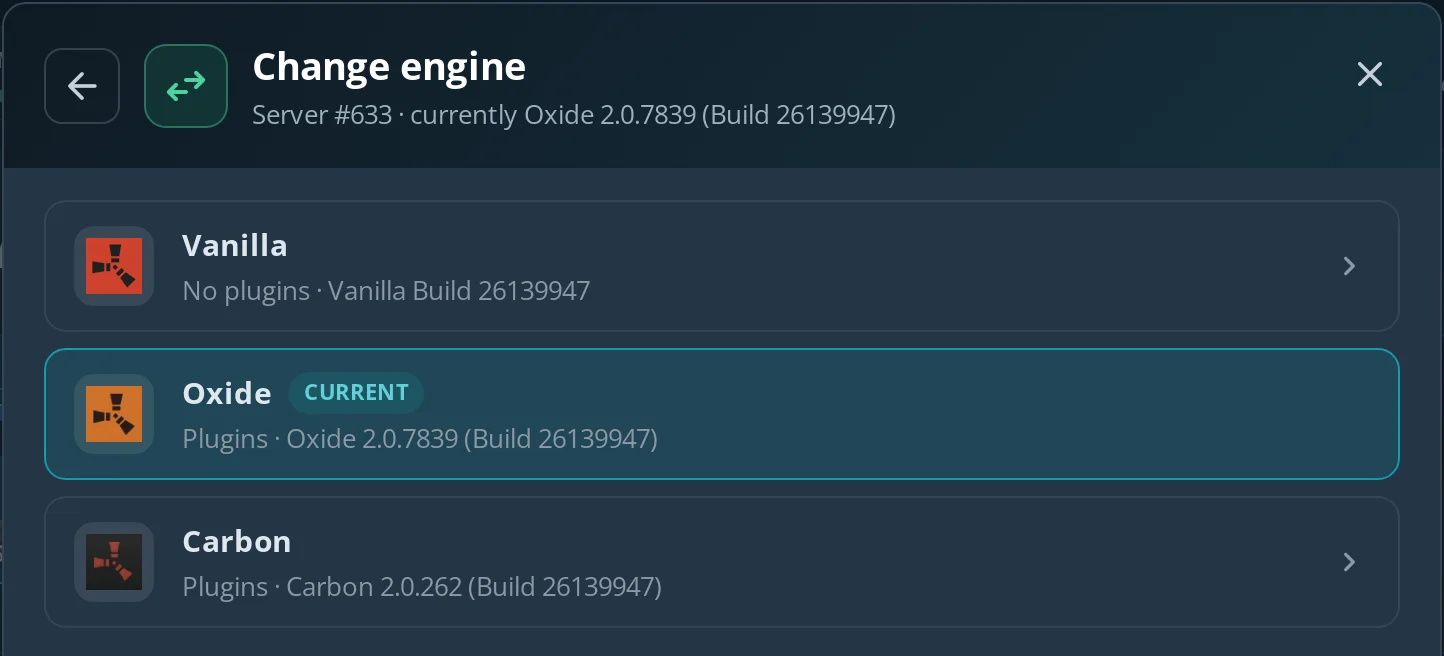
Make sure the server runs Oxide or Carbon: Information → Modify → Change engine (the map and progress stay). The panel stops the server and offers a backup first; after the switch the server stays off, so start it yourself.
-
Download
Whitelist.csfrom the plugin's page on umod.org. -
On the Files tab, upload it to
oxide/plugins(Oxide) orcarbon/plugins(Carbon).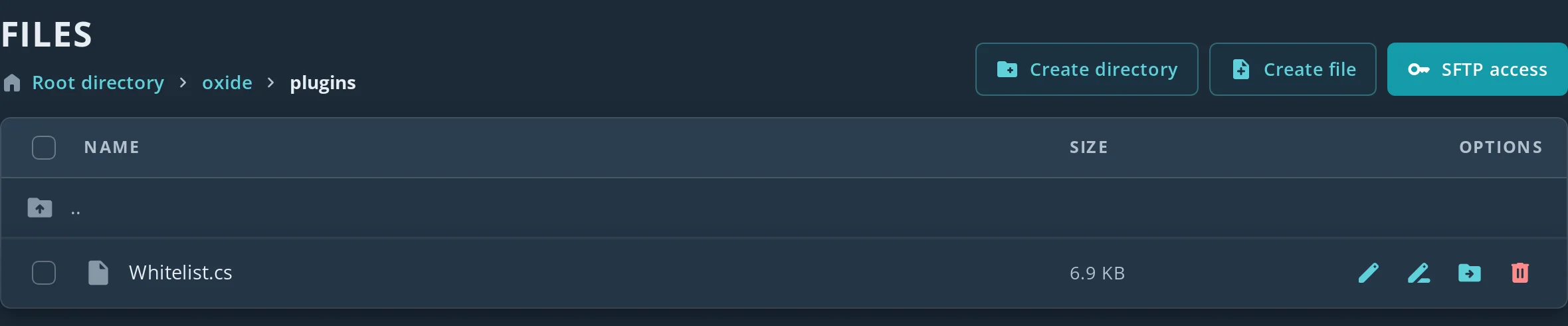
-
Type
oxide.pluginson the Console tab – Whitelist should be on the list of loaded plugins. If it isn't there yet, restart the server: plugins inoxide/pluginsload on every start. -
Grant access to each friend by their SteamID64 – the 17-digit number starting with
7656…:
| Oxide | Carbon | What it does |
|---|---|---|
oxide.grant user 76561198000000000 whitelist.allow |
c.grant user 76561198000000000 whitelist.allow |
Lets one player in |
oxide.revoke user 76561198000000000 whitelist.allow |
c.revoke user 76561198000000000 whitelist.allow |
Takes access away |
oxide.group add friends + oxide.grant group friends whitelist.allow |
c.group add friends + c.grant group friends whitelist.allow |
A group whose members can join |
oxide.usergroup add 76561198000000000 friends |
c.usergroup add 76561198000000000 friends |
Adds a player to that group |
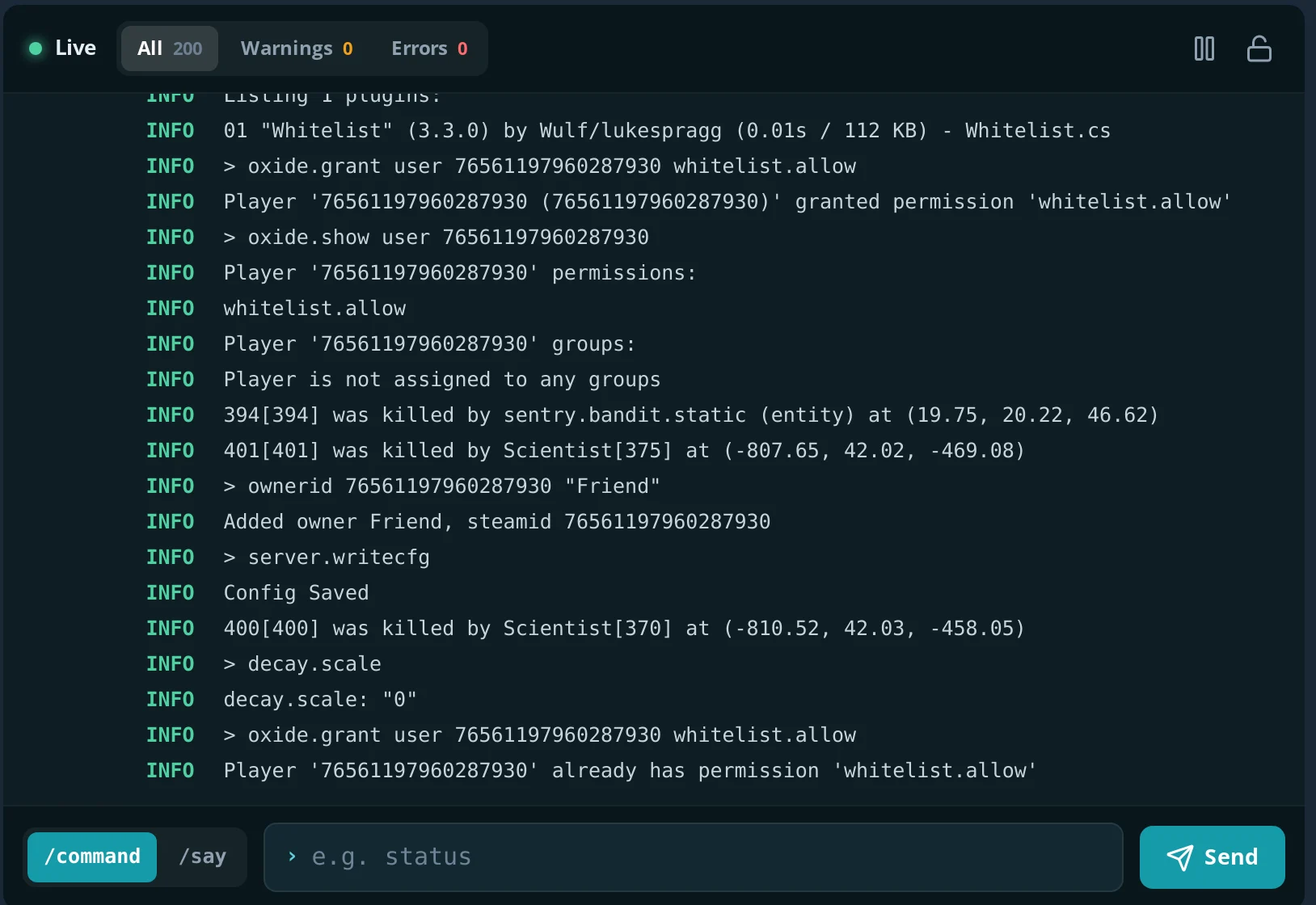
Type the commands on the Console tab, without a leading slash. Using the SteamID64 rather than a name means you can whitelist friends before they've ever connected – the console replies Player '…' granted permission 'whitelist.allow', and oxide.show user <SteamID64> lists that player's permissions. Your friends can find their SteamID64 in the Steam client under Account details.
The plugin's config (oxide/config/Whitelist.json or carbon/configs/Whitelist.json) has two options:
- Admin Excluded –
trueby default: server admins get in without the permission. To be safe, grantwhitelist.allowto yourself too. - Reset On Restart –
falseby default. Set totrue, it removes everyone'swhitelist.allowon every server start, so leave it off for a friends' server.
Don't grant whitelist.allow to the default group – every player is in it, so that switches the whitelist off. More on plugins and permissions in how to install Rust plugins.
What settings suit a small Rust server for friends?
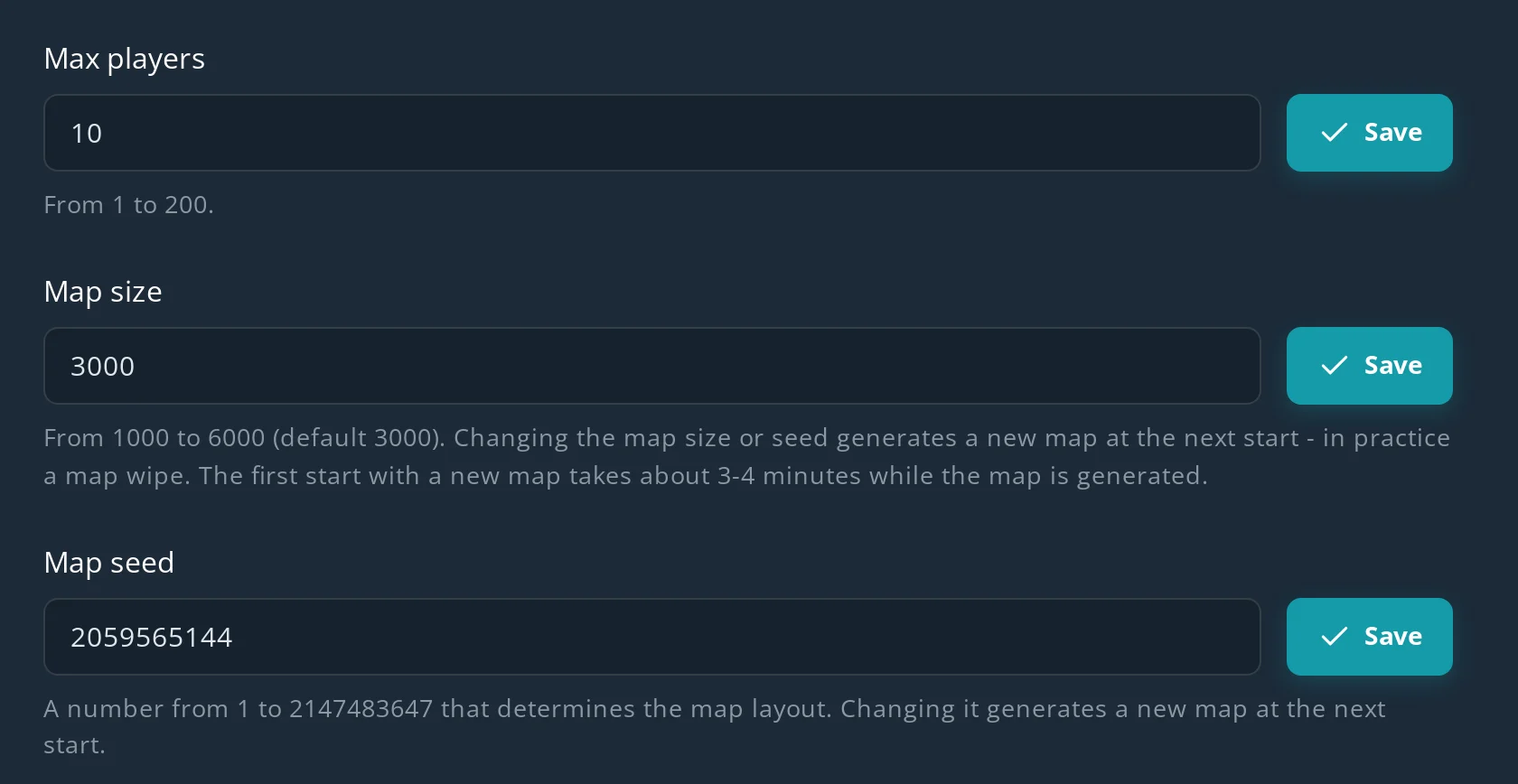
For a few friends, pick a small map (2000–3000), a player limit just above your group size and a recognisable name – all of it is on the Configuration tab. Each field has its own save button, and changes apply after a restart.
| Setting | Range on Spot.gg | For friends |
|---|---|---|
| Max players | 1–200, default 50 | Your group plus a few spare slots |
| Map size | 1000–6000, default 3000 | 2000–3000 – you'll actually run into each other |
| Map seed | Any number, random on install | Keep it, or pick a seed with a layout you like |
| Server name | Up to 64 characters | Something your friends will recognise in the list |
| Description, URL, header image | Image 512×256 PNG or JPG over https | Optional – e.g. your Discord link |
A small map loads faster, generates faster and is easier on RAM. Set the map size and seed before your friends start building – changing either generates a new map on the next start, which is in practice a wipe. How to choose them is covered in Rust map size and seed.
A Rust server on Spot.gg (8 GB RAM, 20 GB disk – the minimum for Rust) costs from $12.23 / month, and the first 24 hours are free, no card needed.
How do your friends join a private Rust server?
The easiest way is the Connect button in the Connection instructions window, which opens from "How to connect?" in the panel – Steam launches Rust and joins the server straight away. You can also send your friends the address and they connect from the in-game console:
- Launch Rust and wait for the main menu.
- Press F1 to open the console.
- Type
client.connect address:portand press Enter – the Connection instructions window has the full command ready with a Copy button.
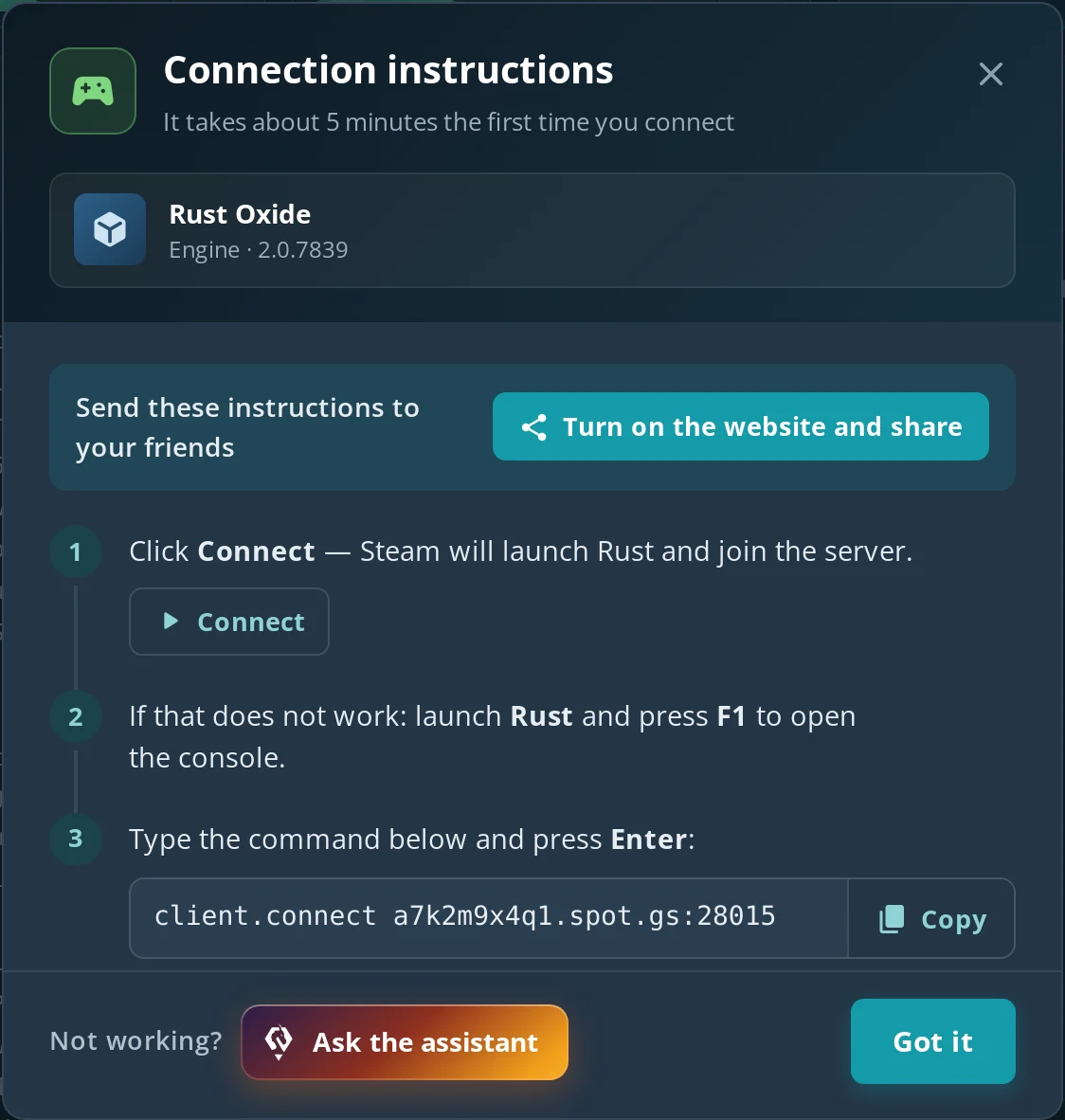
The address and port are in the Connection instructions window and on the Network tab. Players only need the game port – the query, RCON and Rust+ ports are for the server list, the remote console and the companion app.
Under the hood the Connect button uses a steam://run/252490//+connect address link, which launches Rust with the connect command. A steam://connect link or adding the server to Steam favorites doesn't work for Rust – the Steam dialog reports an invalid server. If someone gets "You are not whitelisted", check they're on the whitelist under the right SteamID64.
How do you make yourself admin on your private server?
Type ownerid <your SteamID64> "your name" in the server console, save it with server.writecfg and reconnect. On Spot.gg you do this on the Console tab: the console replies Added owner …, and after server.writecfg ("Config Saved") the entry is stored in server/spot/cfg/users.cfg, so it survives restarts.
With owner rights you can kick and ban, teleport, spawn items and fly with noclip – handy for fixing a stuck friend or testing a base design. If a friend should help run the server, give them moderatorid. The full list of commands is in Rust admin commands.
If a friend should also manage the server panel (restarts, files, settings), add them on the Subaccounts tab by the email of their Spot.gg account – they can start and restart the server, use the console and manage files, addons, configuration and backups, without your password.
Should you host a private Rust server on your PC or rent one?
Your own PC is free but the world only exists while it's on; a rented server runs 24/7, so friends can play when you're offline. Rust's server is heavy: plan for at least 8 GB of RAM just for the server, on top of the RAM the game itself uses if you play on the same machine.
| Your own PC | Hosting (e.g. Spot.gg) | |
|---|---|---|
| Cost | Free, plus electricity | from $12.23 / month, 24 hours free |
| Availability | Only while your PC is on | 24/7 |
| Ports | You forward 28015 UDP yourself; CGNAT can make it impossible | Assigned and open |
| Monthly Rust update | Update the server and Oxide/Carbon by hand | Automatic updates in the panel |
How to run RustDedicated on your own machine step by step is in how to make a Rust server.
Can you make a private PvE server or a solo server?
Yes – a private server can also be PvE: turn on the built-in server.pve mode or install the TruePVE plugin, and you and your friends play against NPCs only. That's popular with groups who want to build without worrying about each other. The options are compared in the Rust PvE server guide.
A solo server works the same way: set Max players to 1 and you have the whole map to yourself – for learning monuments, practising base designs or just playing at your own pace. With admin rights you can use noclip and inventory.give to test builds quickly.
Common private server problems
| Symptom | Cause | Fix |
|---|---|---|
| A friend gets "You are not whitelisted" | No whitelist.allow, or a typo in the SteamID64 |
Grant it again with the correct 17-digit SteamID64 |
| Strangers still get in | The server runs Vanilla, the plugin didn't load, or whitelist.allow is on the default group |
Check the engine and the Console, revoke the permission from default |
| Everyone lost access after a restart | Reset On Restart is true |
Set it to false and grant access again |
| No Addons tab in the panel | The server runs Vanilla | Switch the engine to Oxide or Carbon |
| Can't connect right after start | The map is still being generated | Wait and watch the Console |
FAQ
Can you put a password on a Rust server?
No. Rust has no server password setting. To keep a server private, use a whitelist plugin such as Whitelist on Oxide or Carbon, which lets in only players with the whitelist.allow permission.
How do I play Rust with only my friends?
Make your own Rust server, install the Whitelist plugin, grant your friends access with oxide.grant or c.grant using their SteamID64 and send them the address. Each friend joins with client.connect in the F1 console or the Connect button.
Can a private server be hidden from the Rust server list?
Don't count on it – the server still appears in the in-game browser. A whitelist doesn't hide it, but it stops anyone who isn't on it from joining.
Does a whitelist work on Vanilla Rust?
No. Whitelist plugins need the Oxide or Carbon engine. On Vanilla you can only ban unwanted players after they join.
How many players can a private Rust server have?
On Spot.gg you set 1 to 200 players in the Max players field. For a group of friends, set the limit just above your group size.
Do my friends need to install anything?
No. The plugin runs only on the server – your friends join with the normal Rust client.