

What is the best Rust server for beginners?
For most beginners the best Rust server is a low- or medium-population server with a team limit (solo/duo/trio), a 2x gather rate or vanilla rules, a recent wipe and low ping from your region. Low population means fewer fully geared groups hunting new players, a team limit stops large clans from taking over, and a fresh wipe means everyone is starting from scratch together.
A quick checklist before you click Connect:
| What to check | Good choice for a beginner | Why |
|---|---|---|
| Server type | Community or Modded with clear rules | You know what you're getting; admins are reachable |
| Rate | Vanilla or 2x | Learn the real game loop without the endless grind |
| Team limit | Solo, duo or trio | No 10-player clans on your doorstep |
| Population | Low or medium | Time to learn before someone raids you |
| Last wipe | Today or a day or two ago | Everyone is still in early-game gear |
| Ping | As low as possible (same continent) | Fights and building feel responsive |
| Rules / description | Wipe day, team limit, Discord listed | A server that explains itself is usually actively run |
If you only want to learn the game without other players at all, look at PvE servers or start a private server for yourself and a few friends – more on both below.
Official, community or modded: what's the difference?
Official servers are run by Facepunch and play pure vanilla; community servers are run by players or groups and keep vanilla gameplay; modded servers use plugins that change the rules – rates, kits, teleports, PvE and more. The in-game server browser sorts them into separate tabs.
| Type | Who runs it | Gameplay | Good for |
|---|---|---|---|
| Official | Facepunch | Pure vanilla, no plugins | The "real" Rust experience, but the toughest start |
| Community | Server owners | Vanilla rules, often with admin tools and their own wipe schedule | Vanilla with active admins and a set team limit |
| Modded | Server owners | Changed gameplay: 2x–10x rates, kits, /home, PvE, events |
Faster, friendlier starts, custom game modes |
Modded doesn't mean "you have to download mods". Rust plugins run only on the server, so you join a modded server with the normal game client. Which plugins turn a server into a modded one is explained in the modded Rust server guide.
Vanilla, 2x, 5x or 10x – which rate should you pick?
Pick 2x if you're new: it halves the grind but keeps the normal Rust progression, so what you learn carries over to vanilla. The number is the gather multiplier – on a 2x server one hit on a node gives twice the resources.
| Rate | Pace | Typical wipe | Who it suits |
|---|---|---|---|
| Vanilla (1x) | Slow – a lot of farming | Weekly to monthly | Players who want the original game |
| 2x / 3x | Noticeably faster, familiar loop | Weekly or every two weeks | Beginners and players with limited time |
| 5x / 10x | Fast building, raids on day one | Usually weekly | Players who know the basics and want action |
| 100x+ / "battlefield" | Instant gear, constant PvP | Often several times a week | Practising fights, not learning the game |
High-rate servers are tempting, but they skip the part where you learn what to craft and when. Many players start on 2x, then move to vanilla once the tech tree makes sense.
Should you play PvE first?
Yes, if PvP stresses you out: a PvE server lets you learn building, farming, monuments and the tech tree without being raided. On PvE servers players can't hurt each other (or each other's bases), and the danger comes from NPCs, the attack helicopter and Bradley instead.
When you browse for a good PvE server, check the description for:
- Raid rules – most PvE servers don't allow raiding; some add NPC bases to raid instead.
- PvP zones – some PvE servers keep areas where fighting is allowed, usually around selected monuments.
- Wipe schedule – PvE servers often wipe only at the monthly force wipe, so you have time to build.
How PvE servers are set up behind the scenes (the built-in server.pve mode or the TruePVE plugin) is covered in how to make a Rust PvE server.
Solo, duo, trio: why team limits matter
A team limit caps how many players can be in one group – on a solo/duo server you'll never face a clan of ten. For beginners it's one of the most important filters, because on servers without a limit ("no limit" or "max team: none") large groups tend to control the map.
Servers usually put the limit in their name, for example "Solo/Duo" or "Max 3". If you play alone, a solo-only server levels the field most. If you play with a friend, a duo or trio server lets you team up without being outnumbered.
What do the wipe day and population tell you?
Join a server shortly after it wipes and pick a population your group can handle – a fresh wipe on a medium-pop server is the friendliest start. A wipe resets the map, so everyone starts with a rock and a torch; a week into the wipe, the established groups already have high-tier gear.
- Wipe day – every PC server wipes at least once a month: Facepunch's force wipe is on the first Thursday of the month, around 7 pm UK time. On top of that, many servers wipe weekly or every two weeks, usually on a fixed day they put in the name or description. The full schedule is in the Rust wipe guide.
- Population – the browser shows how many players are online and the maximum. Low-pop servers are quieter and better for learning; high-pop servers are more lively but much harsher on new players. A server with a long queue right after wipe tells you it's popular, not that it's beginner-friendly.
- Time of day – a server that's busy in the evening in its region can be almost empty when you play. Check the player count at the time you usually play.
Region and ping: how far away can the server be?
Choose a server on your own continent – the lower the ping, the more responsive fights and building are. The server browser shows each server's ping, and most server names include the region, such as "EU", "NA", "UK" or "AU". Above roughly 100 ms fights start to feel delayed; a server in your own region usually keeps you well below that.
How do you use the Rust server browser filters?
Open Play Game, choose the tab (Official, Community, Modded), then narrow the list by region and ping, hide full and empty servers and search by keywords like "2x", "solo", "PvE" or "build". Exact filter names change between Rust updates, but the approach stays the same:
- Start with the tab. Community for vanilla rules, Modded for rates, PvE or game modes.
- Filter by region and ping. Drop everything far away first – it cuts the list the most.
- Hide full and empty servers. Full means a queue; empty usually means the server isn't active.
- Search for keywords. Server names are the main source of information: "2x", "5x", "Solo", "Duo", "Trio", "PvE", "Build", "Aim train", "Monthly", "Weekly", "Wiped".
- Read the server info. Clicking a server shows its description and banner – usually the rules, the wipe schedule and a Discord link.
- Favourite the good ones. Add servers you like to Favourites so you can find them again after the next wipe.
What about server list websites?
Rust server list sites and server finders help when you want to compare servers outside the game – by wipe day, rate, team limit or player history. They read the same public server data the game uses, plus what owners enter themselves. Treat ranking and "best server" votes with care: they often measure how actively a server asks players to vote, not how good it is for beginners. Use the lists to make a shortlist, then check ping and the description in the game.
Build and aim training servers: practice without losing your loot
Build servers give you unlimited resources to design and test bases; aim training servers drop you straight into fights to practise shooting. Both are usually in the Modded tab – search for "build", "creative" or "aim train". They're a great way to learn base designs and recoil patterns before you take them to a real wipe, where losing a fight means losing your gear.
When is it worth running your own Rust server?
Your own server makes sense when you want to play with friends only, on your own rules – your rates, team limit, wipe day, map size and plugins – without strangers raiding you. It's also the calmest way to learn: you can explore monuments, test building and practise the tech tree at your own pace.
On Spot.gg you set up a Rust server in a few minutes:
- Engine – Vanilla for pure Rust, Oxide or Carbon for plugins. You can change it later in Information → Modify → Change engine.
- Plugins – on Oxide and Carbon the Addons tab installs plugins from the Rust plugin catalog with one click, for example Gather Manager for a 2x–5x rate, Stack Size Controller, NTeleportation or True PVE. Plugins from outside the catalog go in through Files.
- Configuration – server name, description, a website link (e.g. your Discord), a header image link for the server info (PNG or JPG, 512×256 recommended), max players (1–200, 50 by default), map size (1000–6000, 3000 by default) and map seed.
- Admin tools – a RCON password and the server console in the panel, so you can run admin commands without joining the game. The common commands are in Rust admin commands.
- Wipes – a manual wipe (map, or map + blueprints) whenever you want, and automatic updates that install the new Rust version on force wipe day.
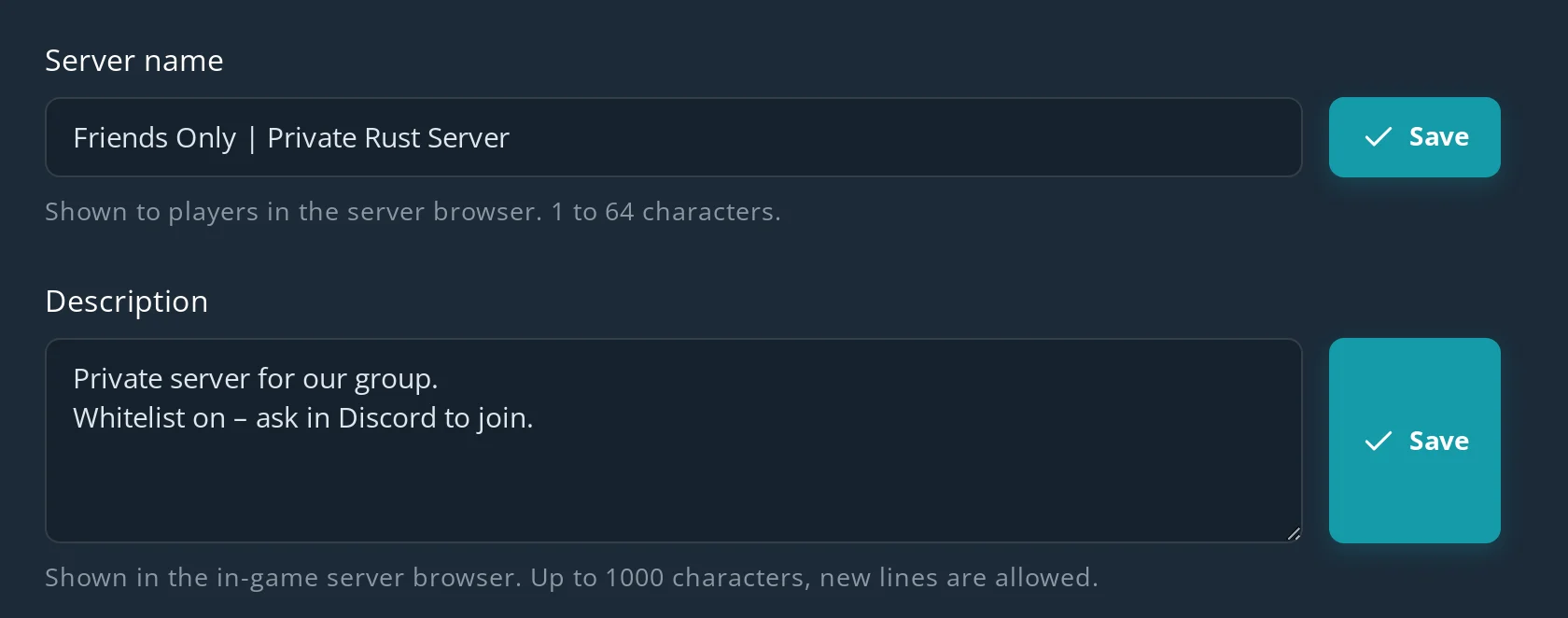
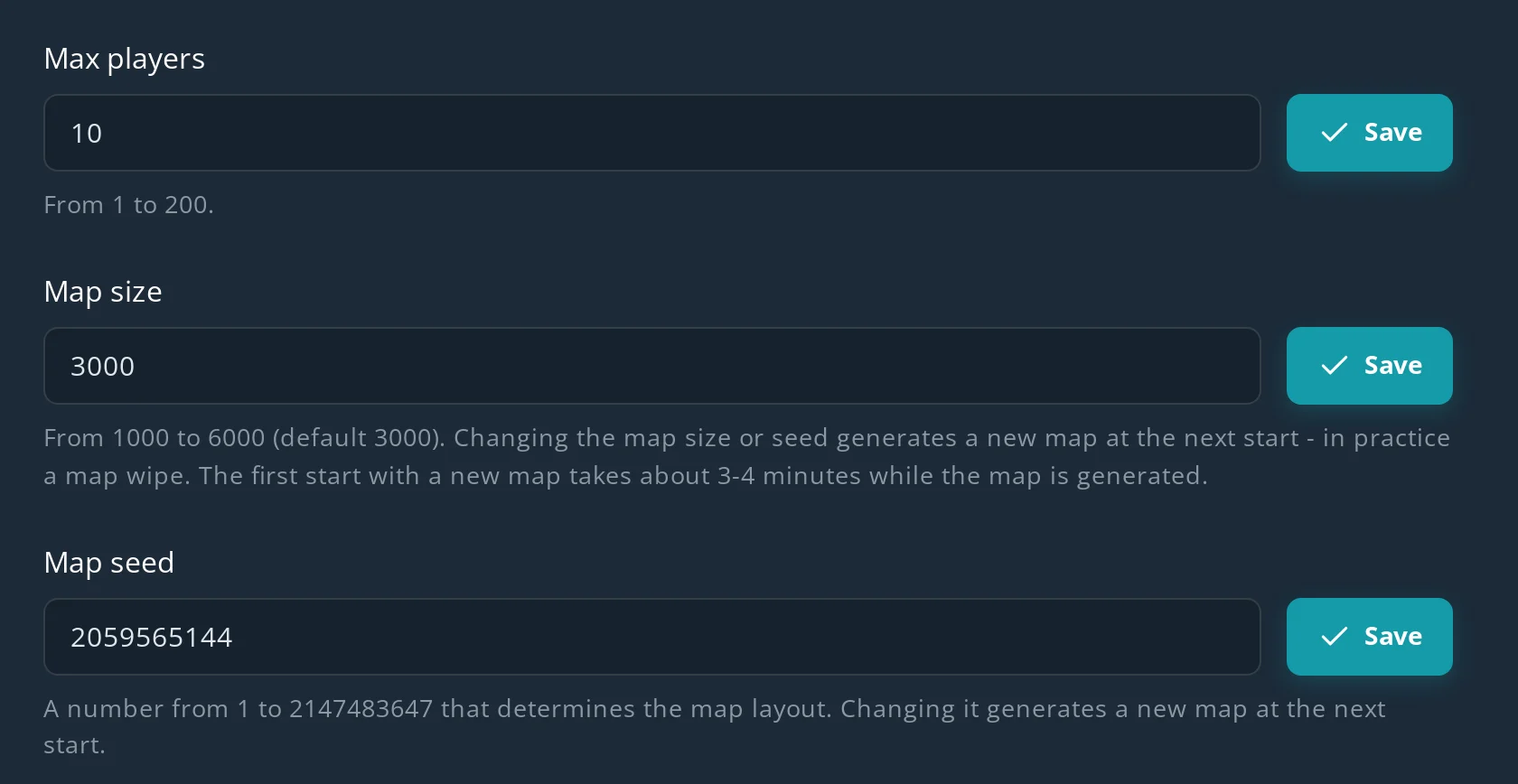
A Rust server needs at least 8 GB of RAM and 20 GB of disk. On Spot.gg that costs from $12.23 / month, and the first 24 hours are free, no card needed. The full walkthrough is in how to make a Rust server.
FAQ
What is a good Rust server for a new player?
A low- or medium-population server in your region with a solo/duo/trio limit, vanilla or 2x rates, and a recent wipe. A clear description with the rules and wipe day is a good sign that the server is actively run.
Are official Rust servers good for beginners?
They give you the pure vanilla experience, but they're often busy and most have no team limit, which makes them a tough start. Many beginners learn on a community or 2x modded server first.
What is a low-pop Rust server?
A server with a small number of players online. Low-pop servers are quieter, so new players have more time to build and learn before running into fully geared groups.
Where can I find a good modded Rust server?
In the Modded tab of the in-game server browser. Search for the rate ("2x", "5x") and the team limit in the server name, then read the description for the plugins, rules and wipe schedule.
What is the best Rust PvE server?
There's no single best one – look for a PvE server in your region with clear raid rules, active admins and a wipe schedule you like. If you want full control, you can run your own PvE server with the True PVE plugin.
Can I play Rust alone without other players?
Yes, on your own server. Every Rust world runs on a dedicated server, so a private server for yourself or a few friends is the way to play without strangers.